
Understanding Microsoft Fabric Eventhouse: Real-Time Analytics Made Simple
Hello and welcome back to our Microsoft Fabric series!
So far, we’ve covered the Lakehouse (great for raw and diverse data with Spark processing) and the Data Warehouse (ideal for structured BI and full T-SQL analytics). Now, let’s move to a completely different but super powerful part of Fabric: Eventhouse — the home for real-time intelligence.
If your data comes in fast — like logs from apps, sensor readings from IoT devices, clicks on a website, stock prices, or monitoring alerts — Eventhouse helps you capture, store, and analyze it as it arrives, often in seconds. This is perfect for scenarios where waiting minutes or hours for insights is too slow.
Eventhouse is part of Real-Time Intelligence in Fabric. It uses the Kusto Query Language (KQL) — a fast, powerful language designed exactly for this kind of high-volume, time-based data.
What is Microsoft Fabric Eventhouse?
An Eventhouse is like a smart container or workspace that holds one or more KQL databases.
- It doesn’t store data itself — it manages and optimizes multiple KQL databases.
- Each KQL database contains tables optimized for events (time-series data), supporting structured, semi-structured (like JSON), and even unstructured data.
- Eventhouse is built for massive scale: millions of events per second, automatic partitioning by time, compression, and super-fast queries.
Eventhouse shines when you need:
- Real-time monitoring and alerting
- IoT analytics
- Application performance insights
- Security logging and threat detection
- Live user behavior tracking
Here’s a high-level architecture showing how Eventhouse fits into Fabric’s Real-Time Intelligence:

Key Components: KQL Database and EventStream
1. KQL Database
- This is where your actual data lives inside the Eventhouse.
- When you create an Eventhouse, Fabric often auto-creates a KQL database with the same name.
- You can add more databases, use shortcuts (like linking to external data without copying), create tables, materialized views (for faster repeated queries), functions, and policies (for retention, caching, etc.).
- Query it with KQL — simple yet extremely powerful for time-based filters, aggregations, joins, and text search.
Example: Find the top 10 errors in the last hour? KQL makes it easy and lightning-fast.
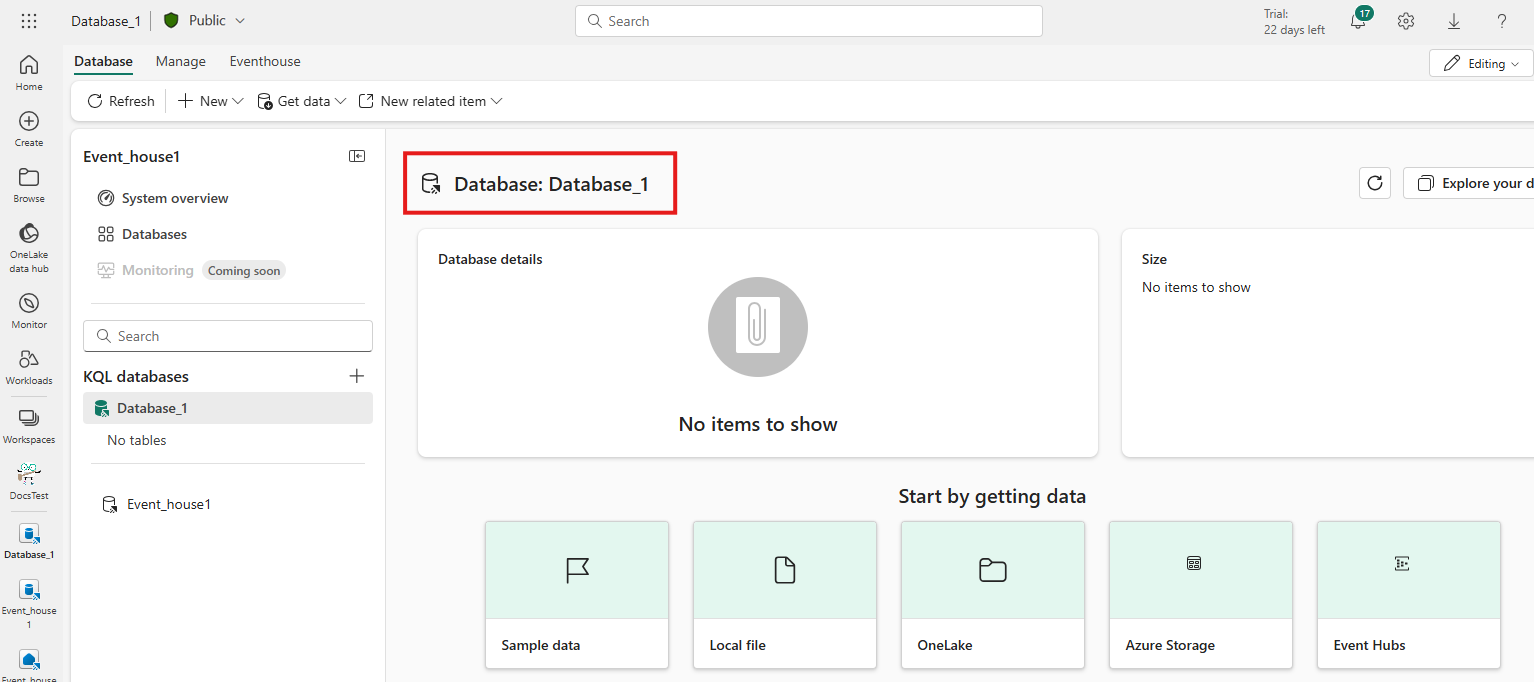
Here’s a screenshot of an Eventhouse with a KQL database open in Fabric — notice the clean interface for exploring tables, querying, and managing policies:
2. EventStream (High-Level Intro)
- EventStream is the no-code tool in Fabric for capturing real-time events from many sources (Azure Event Hubs, Kafka, IoT Hub, custom apps, etc.).
- You can filter, transform (add fields, aggregate, join), and route the data without writing code.
- One popular destination? Send straight to an Eventhouse (KQL database) for instant storage and analysis.
- It supports two modes: direct ingestion (fast and simple) or processed ingestion (transform first).
Why Eventhouse Stands Out for Beginners
- Super fast ingestion and queries — Even on billions of rows, KQL returns results in seconds.
- No servers to manage — Fully managed in Fabric, scales automatically.
- Works with Power BI — Build real-time dashboards and alerts easily.
- Integrates with the rest of Fabric — Shortcuts to Lakehouse/OneLake, notebooks, pipelines, and more.
- Great for learning — Start with sample data or quick templates in Fabric.
Final Thoughts
Microsoft Fabric Eventhouse brings real-time analytics to everyone — no need for complex setups like traditional streaming platforms. With KQL databases for storage and querying, and EventStream for easy ingestion and routing, you can turn live events into actionable insights instantly.
It’s the perfect complement to Lakehouse (for big raw data processing) and Data Warehouse (for structured BI). Together, they give you a complete modern data platform.
As a beginner, try creating a free trial workspace, add an Eventhouse, connect a simple EventStream (even sample data), and run a few KQL queries — you’ll see how quick and powerful it is!
Stay tuned for our next blog post, where we’ll dive deeper into EventStream and Real-Time Analytics in Fabric — including how to set up transformations, destinations, and live dashboards. We’ll keep building on everything we’ve covered so far!
Thanks for reading! Stay tuned for more practical insights on Microsoft Fabric. Subscribe to the newsletter and keep exploring the world of data. 