
Understanding Microsoft Fabric Data Warehouse
Welcome back! In our previous article, we explored Microsoft Fabric Lakehouse, a flexible platform for handling raw, semi-structured, and diverse data types—all built on OneLake using the open Delta Parquet format. If you missed it, go check All about Lakehouse out for context.
Today, we focus on another powerful component: Microsoft Fabric Data Warehouse. This guide is perfect for new learners, with clear explanations and helpful visuals to make concepts easy to grasp.
What is Microsoft Fabric Data Warehouse?
Microsoft Fabric Data Warehouse is a fully managed, enterprise-grade relational data warehouse optimized for structured data and high-performance SQL analytics.
It lives on top of OneLake and stores data in the Delta Parquet format (just like Lakehouse), but it is purpose-built for traditional data warehousing scenarios: star schemas, snowflake schemas, data marts, BI reporting, and governed analytics.
Why Do We Need a Data Warehouse in Fabric?
While Lakehouse is great for raw and semi-structured data, enterprises still need:
-
Strong schema enforcement
-
Fast SQL queries
-
Star/snowflake models
-
BI-optimized storage
Fabric Data Warehouse is designed exactly for these use cases.
Unlike Lakehouse (which excels at raw and big data workloads), the Data Warehouse emphasizes T-SQL compatibility, ACID transactions, and optimized performance for structured querying and reporting.
Here’s a high-level view of how Data Warehouse fits into the Microsoft Fabric ecosystem:

Key Features
-
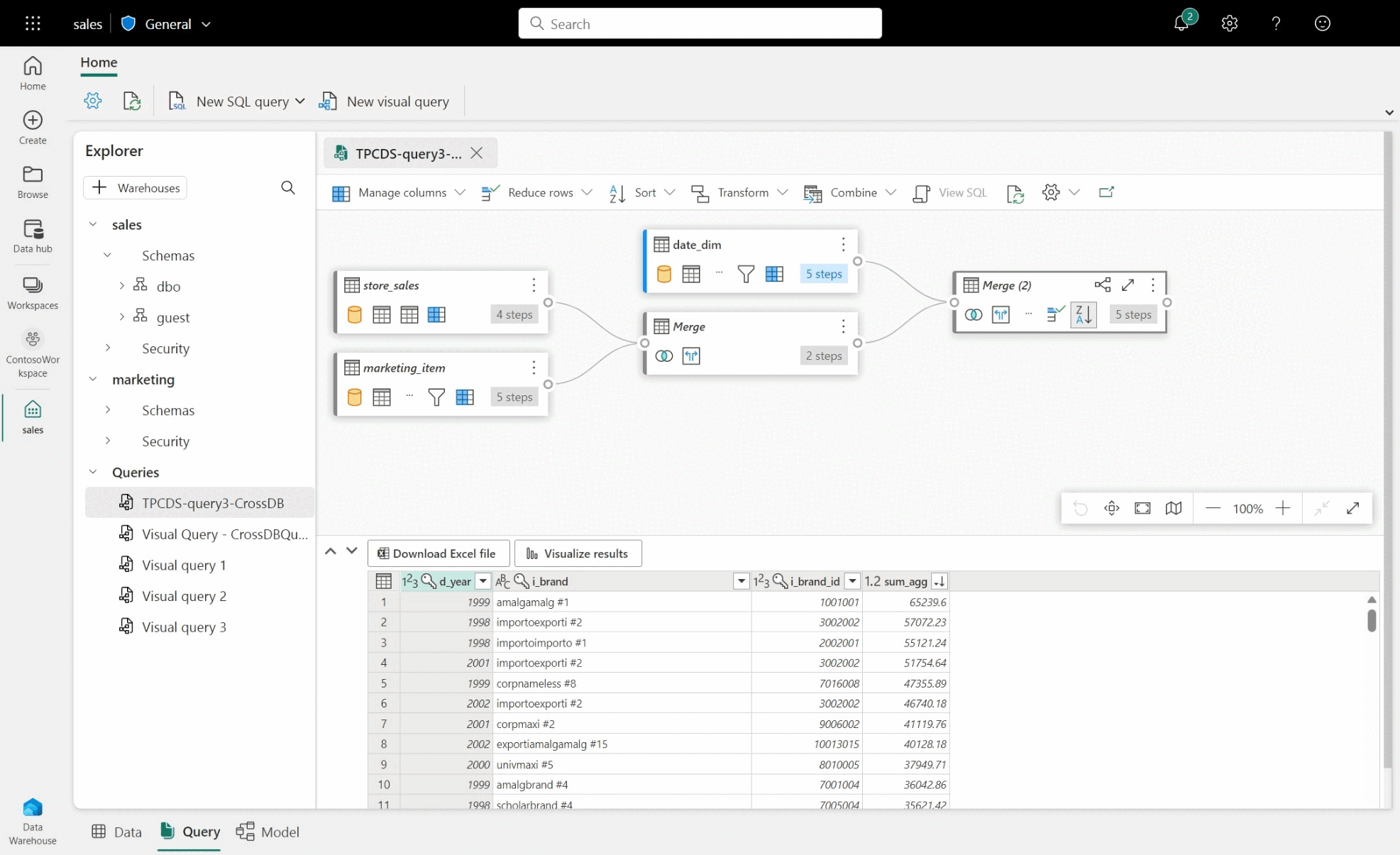
SQL Endpoint: The Fabric Data Warehouse provides a SQL endpoint, which means you can query your data using standard SQL – the language data professionals use. If you know SQL, you’re already ahead! If not, it’s a great skill to learn.
-
Performance and Scalability: Fabric Data Warehouses are designed for speed. They can handle massive amounts of data and complex queries very efficiently, scaling automatically to meet your needs. This means faster reports and quicker insights.
-
OneCopy Architecture: A really cool feature! In Fabric, whether your data is in a Lakehouse or a Data Warehouse, it’s essentially stored once. This “OneCopy” architecture eliminates data duplication, simplifies management, and ensures consistency. You can query the same data using different analytical engines (SQL for the warehouse, Spark for the Lakehouse) without moving or copying it.
-
Integration with Power BI: Microsoft Fabric is deeply integrated with Power BI, a leading business intelligence tool. This makes it incredibly easy to connect your data warehouse to Power BI to create interactive dashboards and reports that visualize your insights.
-
Fully Managed (No Infrastructure Work): Need not to manage Servers, Indexes, Performance tuning and Scaling. Fabric automatically handles compute and storage.
Take a look at the Fabric Data Warehouse interface, where you write queries, use visual editors.
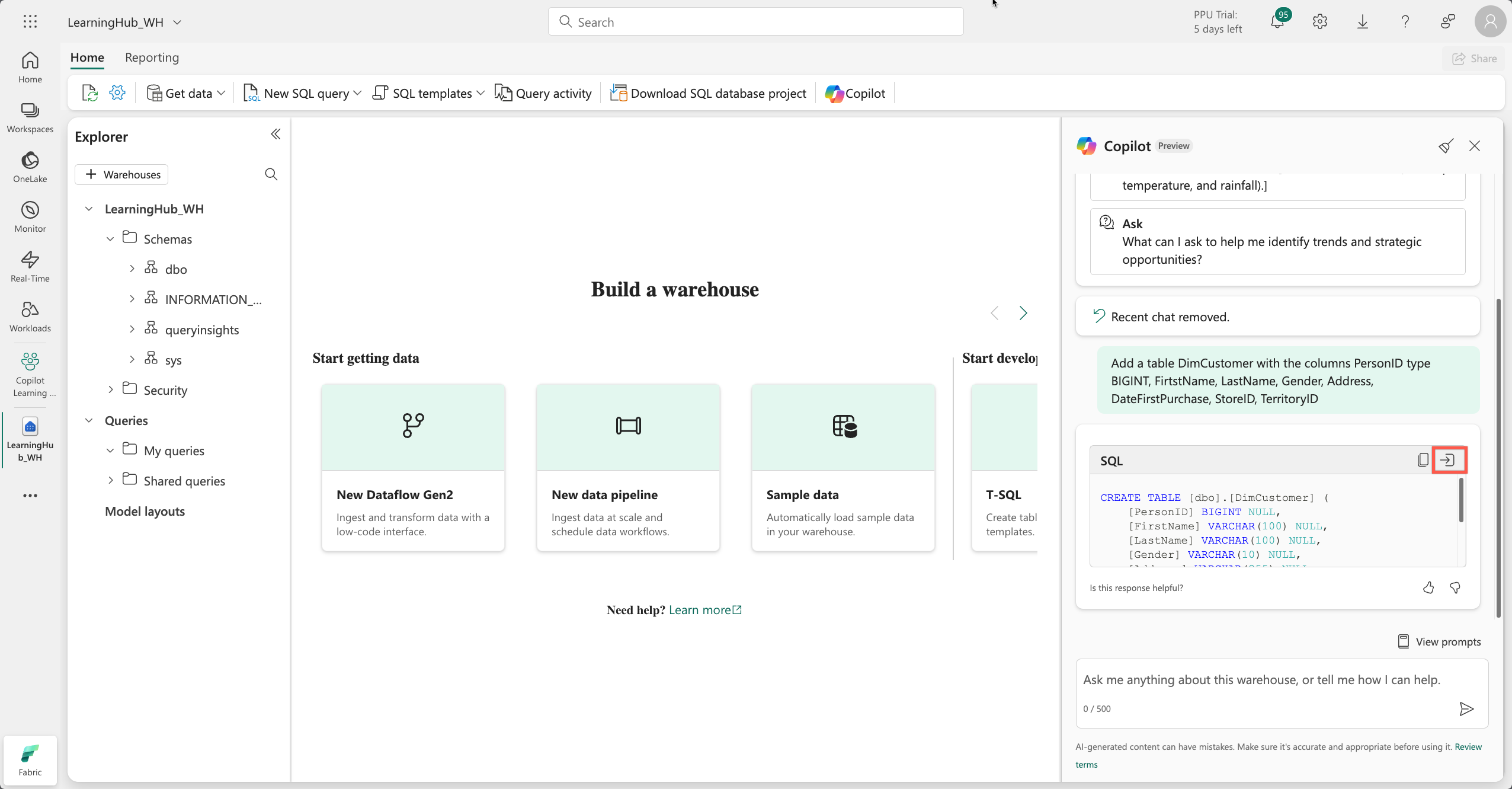
Get help from Copilot
How Does It Work? A Simple Workflow
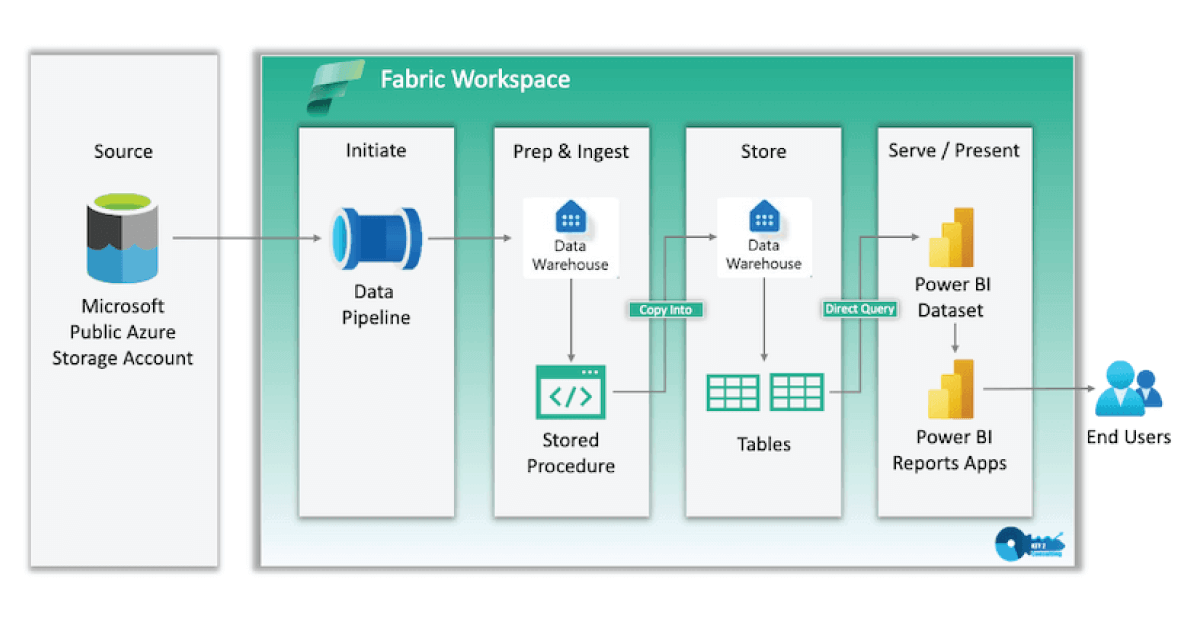
A typical beginner workflow looks like this:
- Create a Warehouse — In your Fabric workspace, add a new Warehouse item (or start with the sample warehouse for quick learning).
- Ingest Data — Use Data Factory pipelines or Dataflow Gen2 to load structured data from sources like Azure Blob, SQL databases, or CSVs.
- Model Your Data — Create tables, define relationships, build views, and write transformations using T-SQL.
- Analyze & Visualize — Query with SQL, connect directly to Power BI for reports and dashboards.
Here’s a visual representation of a common end-to-end flow:
Key Benefits
- Zero Infrastructure Management — Microsoft handles scaling, backups, and maintenance.
- Pay-as-You-Go Pricing — Only pay for compute when queries run; capacity auto-pauses when idle.
- Built-in Learning Aids — Start with sample data warehouses, use Copilot to generate SQL, and follow Microsoft’s guided tutorials.
- Hybrid Power — Combine with Lakehouse for the best of both worlds: raw data exploration + structured BI-ready analytics.
Final Thoughts
Microsoft Fabric Data Warehouse brings classic relational warehousing into the modern lake-centric world—delivering strong performance, full T-SQL support, and tight integration with the rest of Fabric. It’s an excellent choice when your focus is structured data, governed reporting, and BI workloads.
As a beginner, I recommend creating a trial workspace, loading the sample warehouse, and running a few simple queries to see it in action.
In our next blog post, we’ll dive deeper into the big decision: Lakehouse vs. Warehouse in Microsoft Fabric — when to choose one over the other (or even use both together). Stay tuned for clear guidance on what to pick based on your real-world needs!
Thanks for reading! Stay tuned for more practical insights on Microsoft Fabric. Subscribe to the newsletter and keep exploring the world of data. 